



Purpose
Useful to reprint invoices. Preferable to have the menu list of invoice output links as available when the invoice is first prepared.
Procedure
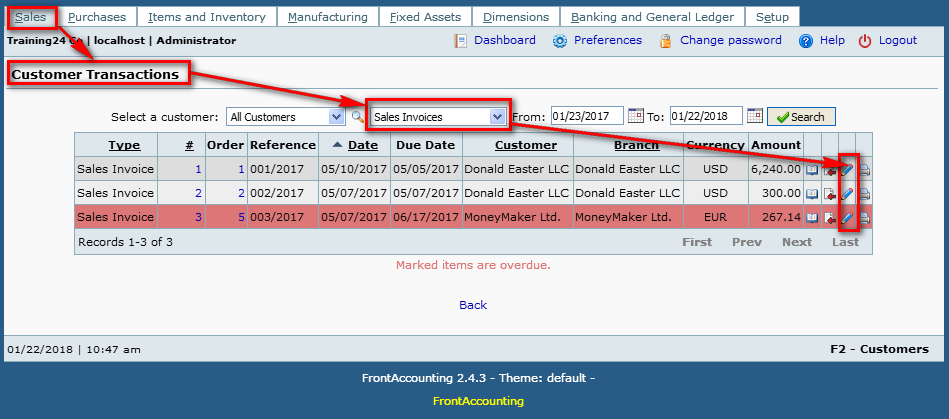
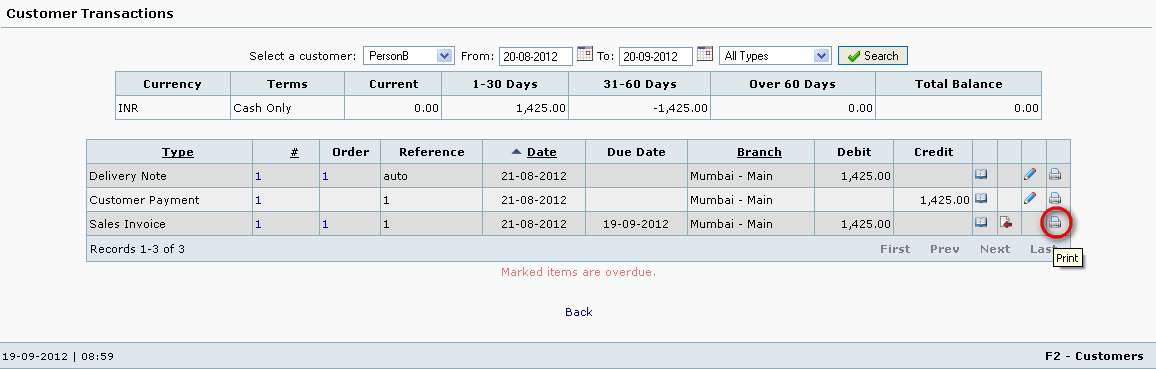
- Click the Print icon in the right most column of the preferred document (Invoice, Delivery Note, Order, etc).
- Use Edit icon to modify some invoice parameters. Edit Invoice
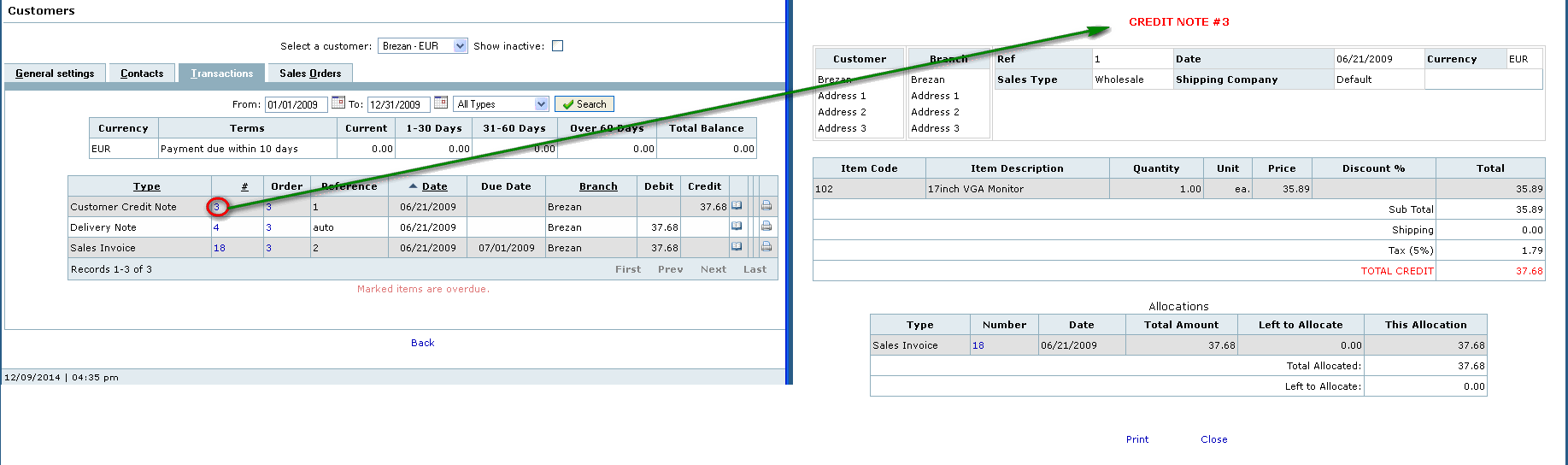
- Click Credit This icon to create a Credit Note.
- Screenshot
- Screenshot 2
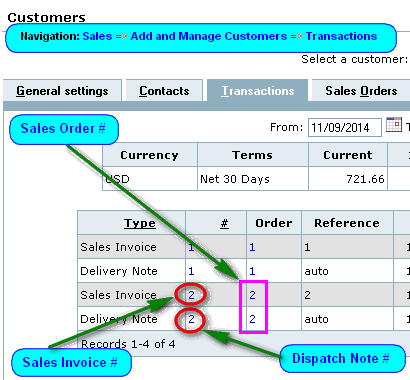
- Screenshot 3
Tips and Tricks
Field debtor_trans.tpe
Reference to 'Wholesale', 'Retail', etc. pricing factors.
Database inconsistency resolution for debtor transactions
In some rare instances, a payment may be added which has no GL transactions. Customer Transactions report will show a debit of 0.00. GL will show for example: No general ledger transactions have been created for Customer Payment number 5 and clicking the transaction number 5 will result in a Database Error. Customer Payment is transaction type 12.
This issue is resolved by resetting the concerned tables for the said transaction 5 with:
DELETE FROM 0_debtor_trans WHERE type=12 and trans_no=5;
DELETE FROM 0_debtor_trans_details WHERE debtor_trans_type=12 and debtor_trans_no=5;
DELETE FROM 0_bank_trans WHERE type=12 trans_no=5;